AstroBar

Menu bar companion · ASTRO A50 Gen 4

Your A50 kept working.
Its control panel didn’t.

Astro Command Center was discontinued and never made it to Apple silicon. The base station still exposes everything over USB — battery, the full parametric equalizer, mix, microphone. AstroBar puts all of it back, in the macOS menu bar.

Version 1.0.0 · macOS 14+ · Apple silicon · MIT · 3 MB

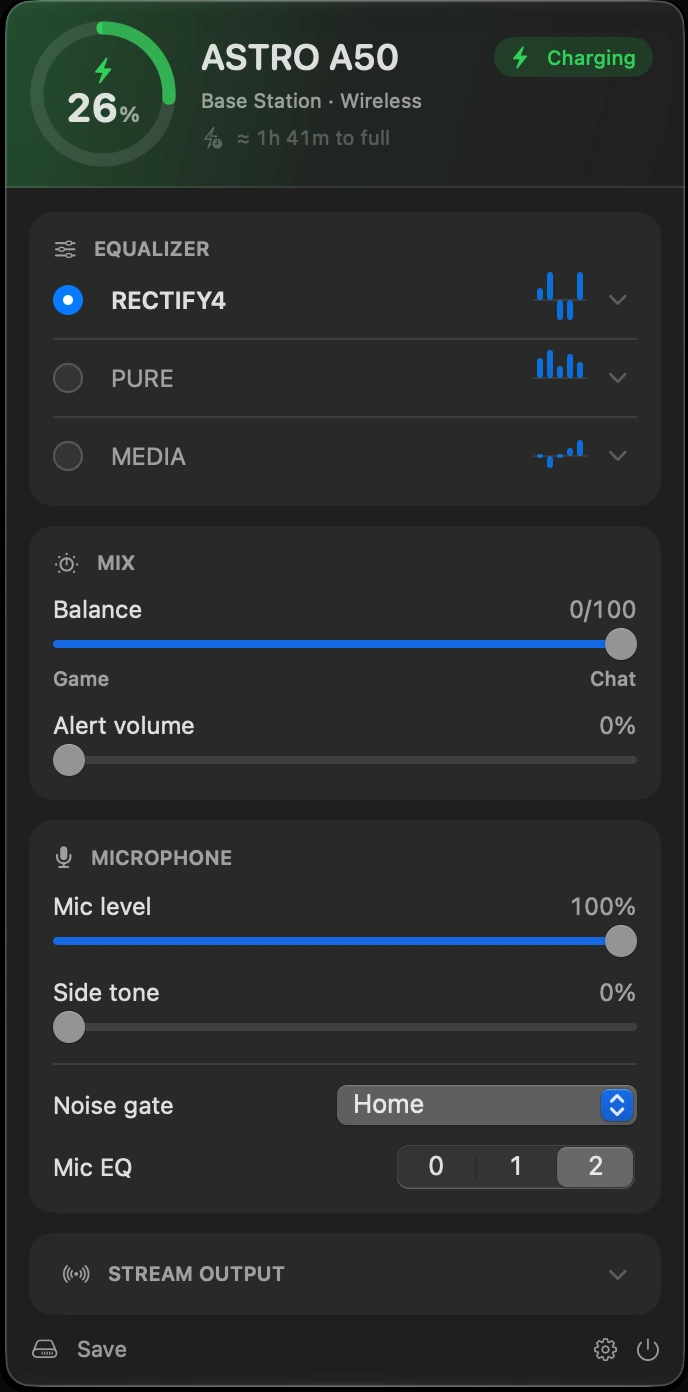
The AstroBar panel open below the macOS menu bar, showing a 26 percent charge ring, the charging state, three equalizer slots, mix sliders and microphone controls

Nothing between the app
and the hardware.

AstroBar talks to the base station directly through IOHIDManager. No root, no kext, no driver, no helper process, no G HUB in the background. The control interface is a vendor-defined HID endpoint carrying fixed 64-byte reports, reverse-engineered by tdryer/eh-fifty and re-implemented here in Swift.

The panel

One click. Everything the base station knows.

Click the menu bar icon to open it, click again to close it, like any system menu. Everything except Save applies live; Save writes the values into the headset so they survive a power cycle.

26%
Charging In use Charged Off

Battery and power

The hardware reports dock, radio link and charging as three separate bits. The panel resolves them into one answer, and puts the percentage in the menu bar if you want it there.

When the headset drops off the radio link the base keeps serving the last level it saw. That reading is marked stale and kept out of both the estimate and the low-battery alert, which fires at a threshold you pick between 5 and 50 %.
Discharging4 h 12 mto empty
Charging on base1 h 41 mto full
Charging in usenot measured yet

Estimates it has actually earned

Time to empty or full is learned from the observed rate, kept separately per profile and remembered across restarts. Until a profile has been measured, no number is shown at all.

Mix

Game/chat balance and alert volume, on the same sliders the headset itself has.

Microphone

Level, side tone and mic EQ, plus the noise gate — Streaming, Night, Home or Tournament. The same four the headset’s own button cycles through, except you can see which one you are on.

Local-first, and quiet about it

No account, no backend, no telemetry. Learned rates and preferences sit in UserDefaults on this Mac. The only request that ever leaves the machine is the update check, and that one has a switch.

Stream output

The Mic, Chat, Game and Aux levels going to the base station’s stream port: what an audience hears.

Diagnostics

swift run astrobar-cli dump

astrobar-cli speaks the same protocol from a terminal — handy for a bug report.

Equalizer

All three slots, every band.

The A50 has three writable EQ slots. AstroBar edits them properly: per-band gain, centre frequency and bandwidth, renameable inline, applied live.

  • Loading a preset only becomes permanent on Save, so you can audition freely and power-cycle to get your originals back
  • Applying a preset is asynchronous in firmware — the write is acknowledged before it takes effect, so the setter polls the read-back
  • Import from File… reads JSON presets; anything without exactly five bands is skipped rather than half-written to the hardware

From Astro Command Center

Recovered by manuacl from a USB capture of Command Center writing each preset to a slot.

  • ASTROThe house sound — a pronounced V
  • PROBass lift plus a strong presence peak
  • STUDIOFlat low end, brightened on top
  • MEDIAThe gentlest of the five
  • A50 MOD KITMod Kit cushions only

The ZEFERENCE by ZaliaS

Ten community tunings for the Gen 4, converted from the published .astroeq values. The three Tournament presets are variations on one idea — the author’s advice is to try all three. The full collection, including A40, Gen 3 and per-game tunings, is in the source repository.

  • RECTIFY4Studio-reference baseline
  • PUREBroad all-rounder
  • DYSTRILATIONDetail first
  • INCENDIARYTheatrical weight
  • KRYOGENLows and treble
  • ARCTURUSSuits everything
  • OMNIVOXFootstep direction
  • TOURNAMENT IPositional clarity
  • TOURNAMENT IIPositional clarity
  • TOURNAMENT IIIPositional clarity

Settings

  • GeneralLaunch at login
  • Menu BarBattery percentage, headphone or battery icon
  • NotificationsLow-battery alert and its threshold, 5–50 %
  • DeviceConnection state, USB id, firmware versions, auto-shutoff
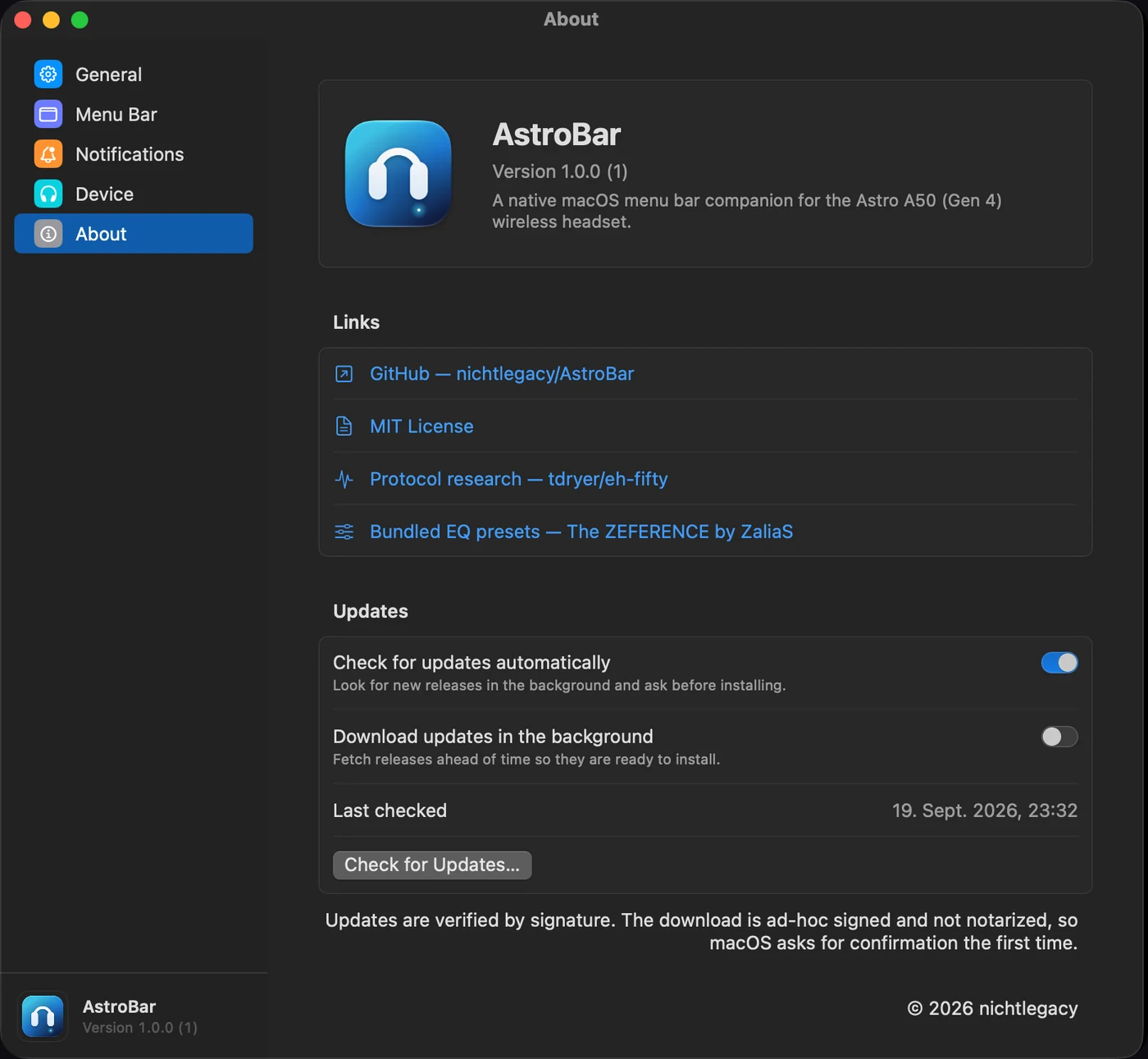
  • AboutVersion, links, and the update controls
The AstroBar settings window on the About pane, showing version 1.0.0, project links and the Sparkle update controls
Updates run through Sparkle and are verified against an EdDSA signature before anything is installed.

Install

AstroBar 1.0.0

macOS 14 or later · Apple silicon · about 3 MB

Download the DMG

Free and open source, via GitHub Releases

  1. Open AstroBar-1.0.0.dmg and drag AstroBar.app into Applications.
  2. Clear the quarantine flag once:
    xattr -dr com.apple.quarantine /Applications/AstroBar.app
    Without the terminal: launch it, dismiss the warning, then System Settings → Privacy & Security → Open Anyway.
  3. Launch it. No window opens — the icon appears in the menu bar. Plug the base station in by USB if it isn’t already.

The app is ad-hoc signed and not notarized, because this project has no Apple Developer account. macOS claims it is damaged on first launch; it isn’t, and only the first launch is affected. Later updates arrive through Sparkle and are checked against an EdDSA signature, which does not involve Apple at all.

FAQ

Does Astro Command Center work on macOS?

No. It was discontinued and never shipped an Apple silicon build, and Logitech G HUB does not cover the A50 Gen 4 at all. AstroBar is an independent, open-source alternative that talks to the same base station over the same USB HID interface.

Which ASTRO A50 does AstroBar support?

The A50 Gen 4 with its base station, connected by USB (0x9886:0x002c). The A50 X / Gen 5 from 2024 speaks a completely different protocol and is not supported.

Can I use it with just the USB cable?

No. A Gen 4 headset plugged in by cable enumerates as a plain audio device (0x9886:0x002b) that charges but exposes no control interface whatsoever. The base station is where every readable and writable value lives.

Why does macOS say the app is damaged?

Because it is ad-hoc signed and not notarized — no Apple Developer account behind it. The download is fine. Clear the quarantine flag with xattr -dr com.apple.quarantine /Applications/AstroBar.app, or use Open Anyway in Privacy & Security.

Does AstroBar send any data anywhere?

No. No account, no backend, no telemetry, no analytics. Learned battery rates and preferences live in UserDefaults on your Mac. The only outbound request is the Sparkle update check, and it can be turned off.

Are the original Command Center presets included?

Yes — ASTRO, PRO, STUDIO, MEDIA and A50 MOD KIT, recovered from a USB capture of Command Center writing each one to a slot. Ten presets from The ZEFERENCE are bundled alongside, and you can import your own from JSON.

Does it run on Intel Macs?

The prebuilt disk images are Apple silicon only. On Intel the project builds and runs from source: git clone, then make install.

How do updates work?

Through Sparkle, in the background and switchable off. Every download is verified against an EdDSA signature before installation, and nothing is installed without asking.